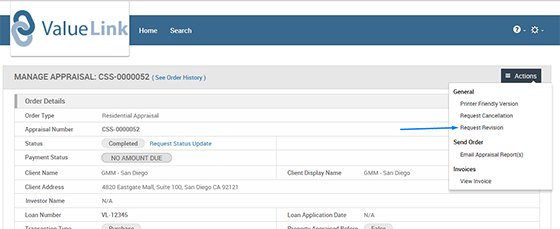
Step 1: Click on the Actions button on the order & click “Request Revision” button.
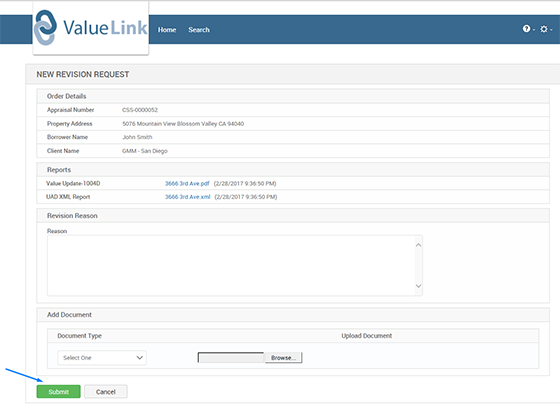
Step 2: Enter the details for the revision being requested.
Step 3: The “Add Document” section allows any supporting documents to be attached along with the revision request.
Step 4: Click on the “Submit” button to send the revision request.
Comments